 Photography Colleges
Dreamstime Watermark Remover


Best Examples
















Dreamstime Watermark Remover — Clean Photos in Seconds
Use our Dreamstime watermark remover to erase the grid pattern while the rest of the photo stays untouched. Free to try with your new-user credits.
This Dreamstime watermark remover clears the repeating grid that sits across a preview file and rebuilds the picture underneath. Upload a JPG, PNG or WEBP, choose how many results you want, and the AI reads the texture, color and edges around every line before filling the gap. Sky, skin, fur and brickwork come back as continuous surfaces instead of soft patches, and nothing outside the marked area is touched.
It is built for people who work with images they already control: photographers cleaning their own marked exports, teams tidying a licensed file, designers preparing internal comps. Removing a Dreamstime watermark does not grant you rights to an image. Use the tool only on photos you own, have licensed, or are otherwise permitted to edit, and buy the license when the picture is going into commercial work.
Everything runs in the browser workspace. Sign in with Google, open the tool, and ask for up to four variations in one request. Results come back in seconds to about a minute, and each generation costs 3 credits. New accounts start with free credits, so you can test the repair on your own file first.
How the Dreamstime watermark remover rebuilds the image
The model locates the mark first, then treats every covered pixel as missing information rather than something to blur. It samples the surrounding region for color, grain, direction and edge continuity, and reconstructs what the grid was hiding. That is why a repaired horizon line stays straight and a repaired shadow keeps its gradient instead of turning into a smudge.
Identity, pose, background and lighting stay exactly as they were. The AI only rewrites the area the watermark covered, so a portrait keeps the same face and the same catchlights, and a landscape keeps the same weather. Nothing is restyled, recolored or upscaled behind your back.
Results still vary. A mark sitting over a plain wall rebuilds almost invisibly; a mark crossing printed text, a face or a fine repeating pattern is harder. Start from the largest, cleanest file you have, and generate more than one variation when the background is busy.

Built for the full-screen grid watermark, not just a corner logo
Dreamstime previews carry a repeating grid across the entire frame, which is a different problem from a small logo in one corner. A generic eraser handles one blob well and then fails on a hundred crossing lines, leaving a faint lattice you notice the moment you zoom in or print.
This tool works across the whole frame in a single pass. Keep the complete image in the upload and never crop the preview beforehand, because the surrounding pixels are what the AI uses to rebuild the covered ones. Cropping first removes the reference material the repair depends on.

Faster than manual retouching in a photo editor
The manual route is real work. You select each mark, expand the selection by a few pixels, apply a content-aware fill, then clone-stamp whatever the fill smears. On a full-screen grid that is an afternoon, and it needs desktop software plus the skills to drive it.
The browser workflow is three moves: upload, set the quantity, generate. Results arrive in seconds to about a minute, and 3 credits covers a run. There is nothing to install, and JPG, PNG and WEBP files all work.

Licensing, consent and fair use
A watermark is a rights marker. It tells you who made the photo and where it can be licensed, and taking it off an image you have no rights to does not make that image yours. Only remove a Dreamstime watermark from files you own, have licensed, or have clear permission to edit.
If the picture is going into a client project, an ad, a product listing or anything else commercial, buy the license from the source. That is the route that actually clears you to publish. Credit packs and subscriptions on the stock site deliver an unmarked file directly, which is simpler than any edit.
Never edit photos of other people without their consent. Results are for personal, creative and lawful use only. Uploads are processed and may be stored so we can provide the service, as described in our privacy policy, so upload only what you are comfortable sending.

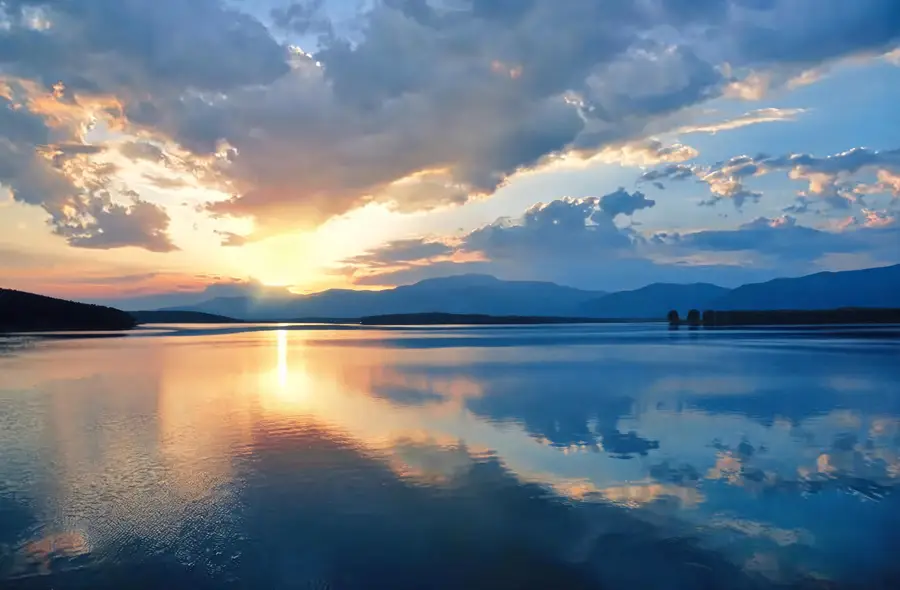
Before & After: Dreamstime watermark remover results





How to use Dreamstime Watermark Remover
- 1Upload the photo
Sign in with Google, open the Photo field and upload the watermarked JPG, PNG or WEBP file you are permitted to edit. Keep the whole frame in the picture and do not crop the preview first, because the AI needs the surrounding pixels.
- 2Set the quantity
Choose how many results you want, from 1 to 4. On busy backgrounds ask for several variations so you can compare repairs side by side. Each generation costs 3 credits, and new accounts start with free credits to test the tool.
- 3Generate and download
Click Generate and wait a few seconds to about a minute. Open each result at full size, check the areas the grid covered, then download the version you like. Run the job again if any residue is left on a detailed texture; each extra run is a new generation and costs 3 credits.
Perfect for
Photographers cleaning their own exports
You shot the image and you own it, but a marked export is the only copy you can find. Upload it and get a clean frame back for your portfolio or archive. The repair keeps your framing, color and grain, so the file still looks like your work rather than a retouched approximation.
Licensed files that arrived marked
Sometimes a purchased picture reaches you with a preview mark still on it, or a teammate sends the comp instead of the clean download. Clear the grid in seconds while you chase the correct file. Keep the license receipt on hand, since the license is what permits your use, not the edit.
Internal comps and layout drafts
Designers drop images into wireframes and pitch decks to test a layout, and a grid across every frame makes the composition hard to judge. If the comp is your own shot or a file your team has already licensed, clear the mark so reviewers can read the draft. If it is a preview you hold no rights to, license it from the source first, because removing the mark never grants usage rights.
Other stock and gallery watermarks
The model is tuned for the Dreamstime grid, but the same reconstruction clears stamps, captions and logo marks from other stock and gallery exports. The same rule applies everywhere: edit only images you own, have licensed, or have permission to change, and license anything commercial.
At a glance
FAQ
What does the Dreamstime watermark remover do?
It is an AI tool that erases the Dreamstime watermark from a photo and rebuilds the picture underneath, including the full-screen grid pattern that covers preview files. Upload an image, pick a quantity, and the AI reconstructs the covered pixels from the surrounding texture, color and edges. Everything outside the mark stays exactly as it was.
Is it legal to remove a Dreamstime watermark?
Only when you have a legitimate basis. Remove watermarks from images you own, have licensed, or are otherwise permitted to edit. Taking a mark off someone else's unlicensed stock photo does not give you the right to use it and can infringe copyright. For any commercial project, buy the license from the source first, then use the clean file it gives you.
Can it remove Dreamstime's full-screen grid watermark?
Yes. The tool is tuned for the repeating grid Dreamstime lays across previews, not only corner logos, and it works across the whole frame in one pass. Denser grids over fine repeating patterns take the longest to rebuild, so check those areas at full size before you download.
Is the Dreamstime watermark remover free to try?
New users get free credits to try any tool on the site, and no credit card is required to start. Sign in with Google, and each generation of this tool costs 3 credits. Asking for more variations in one run uses credits for each result, so start with one or two while you are testing.
Will the photo keep its original quality?
The tool preserves the original framing and color as closely as the repair allows, and it only rewrites the area the watermark covered. Outcomes depend on where the mark sits, how detailed the background is and how good the source file is. A mark over a plain surface rebuilds almost invisibly; one across text or a face is harder.
How long does it take?
Most results arrive within seconds, and complex images with heavy watermarking can take up to about a minute. You work entirely in the browser workspace, so there is nothing to install. Results appear in the workspace, where you can view them at full size and download the one you want.
What happens to the photos I upload?
Uploads are processed, and may be stored, so we can run the tool and return your results. Our privacy policy explains how that works. Because of this, upload only images you are comfortable sending and are allowed to edit. Do not upload photos of other people without their consent, and use results for personal, creative and lawful purposes only.
How do I get a clean file the official way?
Buy the license. Create an account on the stock site, open its pricing page, and pick a credit pack if you buy the odd image or a subscription if you download regularly. Purchasing delivers the unmarked file directly at the sizes the license includes. That route is faster than any edit and it is what actually clears you to publish.