
Toc Toc Dance Guide: What It Is and How to Make an AI Video
Everything you need for the knock-knock trend: where it came from, why it works so well as a template, the photo that makes or breaks the result, and how to post the finished clip.
Published 9 min read
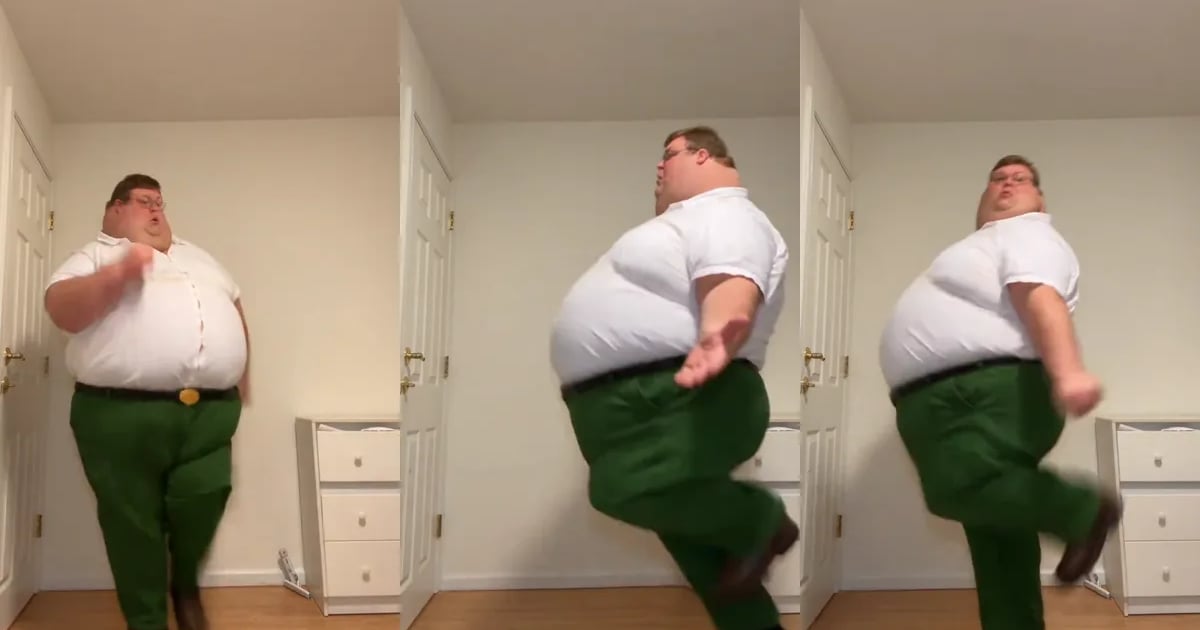
The Toc Toc dance is one of those trends you recognise in half a second: a fist knocking on a door that is not there, a hop on one foot with the other knee pulled high, a shrug, a kick, repeat. It is short, it is silly, and it looks the same no matter who does it, which is exactly why it works so well as an AI template.
This guide walks through the whole thing in order: what the trend is, how a template turns one photo into the full routine, which photo to use (the part that decides most results), how to generate and post the clip, and the mistakes that make a version look wrong.
What the Toc Toc dance is
“Toc toc” is how French and Spanish speakers write a knock on the door, and the dance is built around that knock. One person, usually alone in a room and straight to camera, runs through a quick routine: knock on an invisible door, hop on one foot with the other knee raised, swing the arms, kick, and do it again on the next beat.
The trend took off on TikTok and Instagram in autumn 2026, and many people also search for it as the Jean Phil dance. Many versions are filmed in an ordinary room with nothing in frame but the dancer, which is part of the joke: a deadpan setting, an absurdly committed performance.
Because the routine is the same in every version, the interesting part is who is doing it. That is what an AI template is good at: the dance stays fixed, and the dancer changes.
Why the trend works as a template
Most AI video formats ask the model to invent a performance from a prompt, and that is where they go wrong: the timing drifts, the moves stop matching the music, and the person changes from one second to the next. The Toc Toc dance avoids all of that, because the performance already exists. The model only has to swap who is performing it.
- One person. There is no group to keep consistent, so a single photo is enough.
- Full body, plain room. The moves read clearly on a phone screen, and there is nothing in the background to distract from the dancer.
- About ten seconds. Long enough for the whole routine, short enough to loop and watch again.
- Fixed music and timing. Every knock already lands on the beat; the model does not have to find it.
- No prompt. You do not describe the dance, pick a camera move or upload a reference video. You upload a photo.
How one photo becomes the full routine
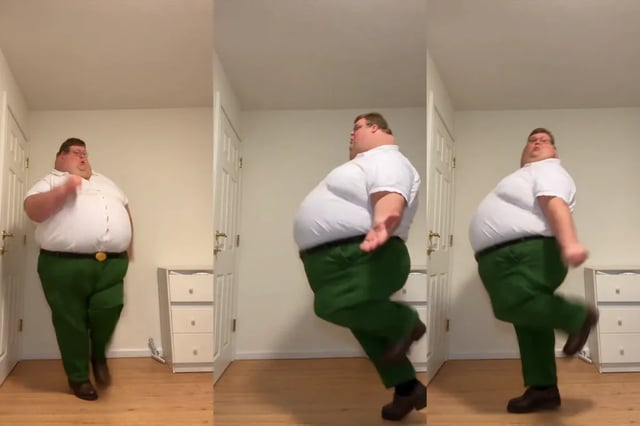
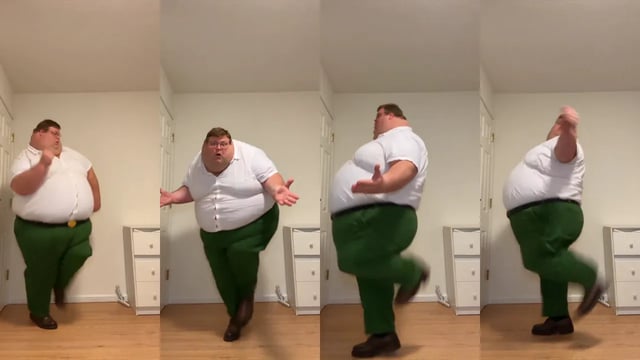
The template is a finished vertical clip: one dancer in a white shirt and green trousers, in a plain bedroom with a white door and a chest of drawers, performing the whole routine in about ten seconds. It includes the knock, a shrug with both arms out, hops with the knee pulled high, kicks, and a quick turn that shows the dancer's back.
When you press Generate, your photo and the whole template go to Kling 4.0 Flash, the fast version of Kling 4.0 that edits an existing video rather than generating one from scratch. It is told to replace the dancer with the person in your photo, from head to toe, and to keep everything else exactly as it is: the room, the camera, the timing, every move and every expression. The whole clip is edited in one pass, so the same face and the same outfit carry through from the first frame to the last, including the turn.
The template's own soundtrack stays on the result untouched, so the knocks land exactly where they did in the original. What comes back is a 10-second vertical MP4, 720 × 1280, with sound.
Even the fast tier of a video model bills edits by the second, and a reference video doubles the billed length, so one video costs 520 credits rather than a few. There is no subscription, and the credits come back automatically if a generation fails.
Step 1: pick a photo the dance can use
Most disappointing results are photo problems. The model replaces the whole person, not just the face: hair, build, clothes and shoes all come from your photo. Whatever the photo does not show, the model has to invent, and invented details are the ones that wobble between frames.
This matters more for a dance than for a portrait. The knee lifts show trousers and shoes, the arm swings show sleeves, the hops show how the clothes move, and the turn shows your back. A head-to-toe photo gives the model all of that. A selfie gives it a face and leaves it guessing about everything below the collar.
If your photo stops at the waist, the model continues the outfit in the same style, so a waist-up photo still works. It is just less faithful: the trousers and shoes in the video will be the model's best guess, not yours.
- Do use one person, standing and facing the camera, ideally head to toe.
- Do use daylight or soft, even indoor light. Hard side light splits the face into two exposures.
- Do ask someone else to take it from a few steps away. A plain wall behind you helps.
- Do wear what you want to dance in. A jacket stays a jacket and sneakers stay sneakers.
- Do not use sunglasses, masks, or hands or hair across the face.
- Do not use beauty filters or heavy HDR. The smoothing becomes the person's skin in the video.
- Do not use group photos or mirror selfies where the phone hides the face.
Step 2: generate, and what to do if it fails
Drop the photo into the upload slot and press Generate. The video takes several minutes, so you do not need to keep the page open: it waits in your history, and the history card shows how long it has been running.
If a job fails, the 520 credits are returned automatically. Retry with the same photo before changing anything; many failures are queue or safety-check issues rather than photo issues. If the job succeeds but the dancer does not look like the photo, change the photo first: brighter, closer, straight on. That one change fixes more results than anything else.
Step 3: post it
Download the MP4 from your history and post it to TikTok, Instagram Reels or YouTube Shorts like any other clip. It is already vertical and already has music.
If you would rather use a sound from the trend, pick it from the app's licensed music library when you upload and turn the original sound down. Label the video as AI-generated where the platform asks, and do not present it as real footage of anyone.
Friends, pets, characters and greetings
Once you have made your own, the format works for almost anyone you can photograph clearly, as long as they agreed to it.
- A friend who never dances on camera. Ask first, use their own photo, and send them the clip before anyone else sees it.
- Your dog or cat. Use a clear photo of the whole animal; the dancer becomes your pet, upright, with the same hops and knocks. Fur, paws and proportions vary more than with people.
- A character or mascot you made. A clear, full-body drawing gives the model the most to work with.
- Birthday and greeting clips. Put the birthday person in the dance and send it instead of a card.
The mistakes that make a result look wrong
Almost every disappointing result traces back to one of these, roughly in order of how often they come up.
- A tight selfie. The face is fine, but the outfit and shoes in the video are invented, and they drift during the hops and the turn.
- A photo taken from below. It widens the jaw and shortens the legs, and the template's camera is at eye level.
- A busy or dark photo. The model has to separate the person from the background before it can rebuild them.
- A celebrity or a stranger. Beyond the consent problem, recognisable public figures are where platform rules and rights issues start.
- Changing several things after one bad result. Change the photo first; otherwise you cannot tell what helped.
If you use a different tool, check these things
Toc Toc dance generators do different things under the same name. A few questions tell you what you are actually getting before you pay.
- Does it edit a fixed template, or generate the dance from a prompt? Templates keep the timing; prompts tend to drift.
- Does it replace the whole person, or paste a face onto someone else's body?
- How long is the clip, at what resolution, and is there a watermark?
- Is there music in the download, and whose is it?
- Are credits returned automatically when a render fails?
- Does it say what it does with your photo, and how long it keeps it?
Frequently asked questions
What is the Toc Toc dance?
A short-video trend built around a knock on the door (“toc toc” in French and Spanish): a quick routine of a knock on an invisible door, hops on one foot with the other knee raised, arm swings and kicks, usually done alone and straight to camera. Many people also search for it as the Jean Phil dance.
How do I make a Toc Toc dance AI video?
Upload one clear photo of a single person, ideally head to toe, and press Generate. The dancer in the template is replaced by the person in your photo, and you get a 10-second vertical video with music a few minutes later.
Do I need to learn the steps or film anything?
No. The routine, the camera and the timing are already in the template. You only provide the photo.
Can I use a selfie?
You can, but a head-to-toe photo works better. The dance uses the whole body, so the model needs to see your outfit and shoes. With a selfie it continues the outfit in the same style, which is a guess rather than your actual clothes.
Does the video include music?
Yes. The template's soundtrack stays on the video, and every knock and hop is timed to it. You can swap in a trend sound from TikTok's or Instagram's library when you post.
How much does it cost?
520 credits per video, refunded automatically if the generation fails. Credit packs are one-time purchases with no subscription, and the credits do not expire.
Can my pet do the Toc Toc dance?
You can try. Use a clear photo that shows the whole animal. Results vary more than with people, especially fur, paws and proportions.
Is this affiliated with TikTok, CapCut or Jean Phil?
No. Toc Toc Dance AI is an independent tool and is not affiliated with TikTok, CapCut, Jean Phil or the owners of any song or video used in the trend.
The Toc Toc dance is a fixed routine with a changing dancer, and that makes it one of the easiest trends to do well with AI. The template takes care of the moves, the music and the timing; the only real decision is the photo.
Use one person, head to toe, in good light, facing the camera. If the first result is close but not quite right, a better photo will fix it faster than anything else.