
How to Make a BigXthaPlug Give It All AI Video
One photo, one hanging mic, one packed lobby. What the Give It All AI trend is, the photo that makes it work and every step from upload to post.
Published 6 min read
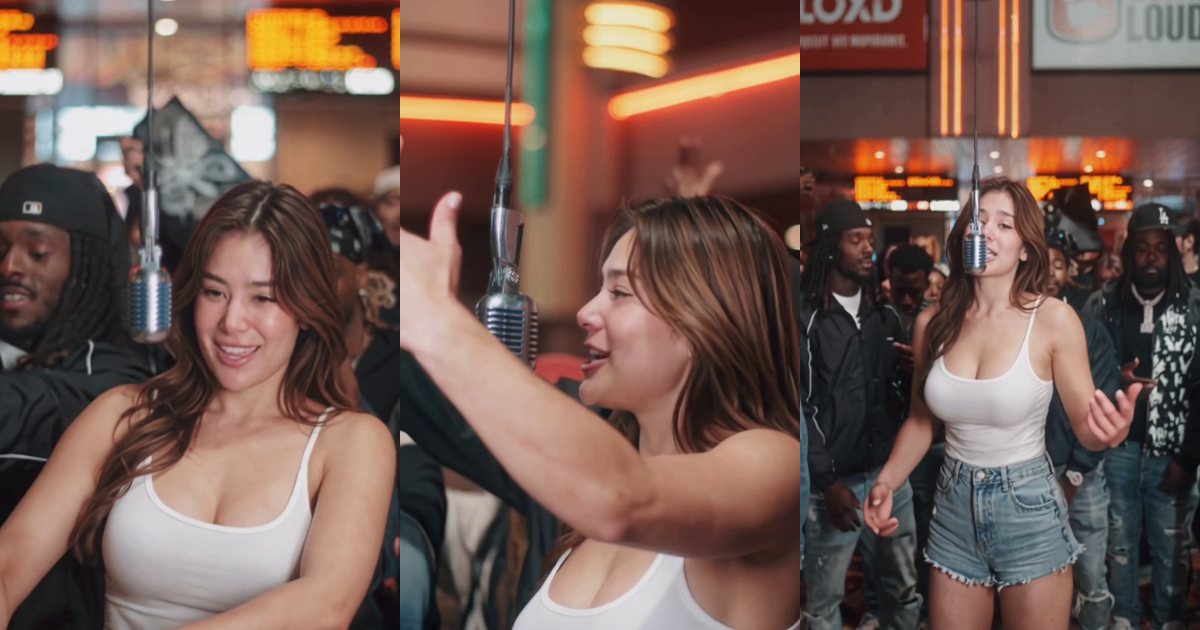
The Give It All AI trend has a simple joke at its center: someone you know, completely unprepared, standing at a hanging vintage mic in a packed cinema lobby and rapping as if they own the place. The scene is always the same, so the only thing that changes is the face.
This guide covers what the trend is, how one photo becomes the clip, which photo to choose, the steps to make it in the browser, the CapCut alternative and what to check before you post.
What the Give It All AI trend is
GIVE IT ALL is a BigXthaPlug track from the album BETTER OVER TIME that entered Shazam’s global chart in November 2026. The AI versions borrow the look of a hanging-mic performance: one rapper, a silver microphone on a long cable and a crowd pressed in behind.
Some people call it the Give It All to Me AI trend. Both names point to the same clip.
How one photo becomes the clip
An AI model does not have to invent the performance. It gets a finished template video, plus your photo, and rebuilds the clip with you as the rapper. The lobby, the crowd, the three camera angles and the gestures come from the template; your face, hair, build and clothes come from the photo.
The soundtrack is rebuilt from the template too, so the clip comes back with sound. It is not a recording made by the artist.
Step 1: choose the photo
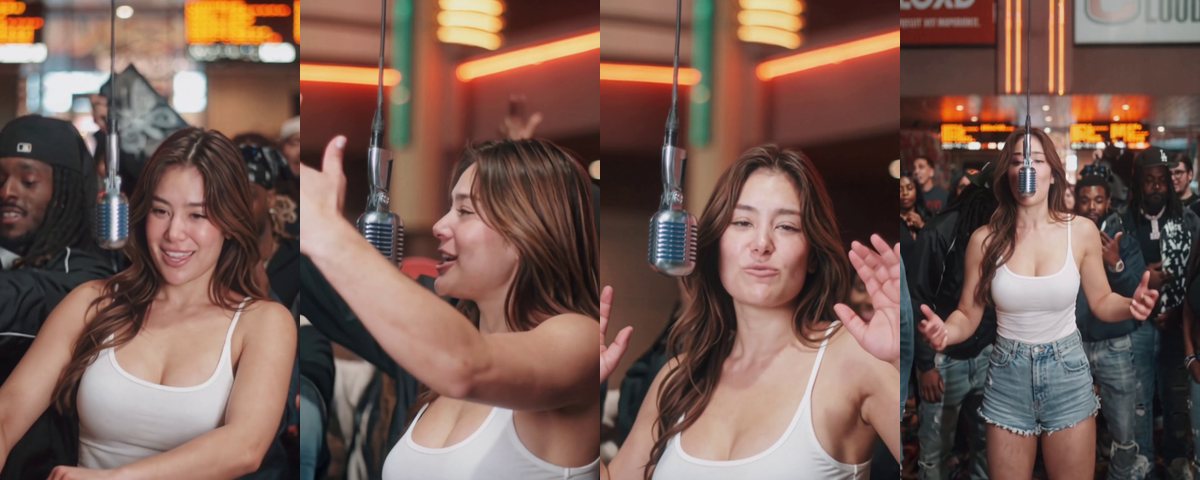
Two of the three shots are close, so the face decides whether the result looks like you. The last shot is wider and shows the outfit.
- One person only, facing the camera, from the waist up or more.
- Even light. A bright window or a shaded street works better than a flash.
- Nothing over the face: the mic already covers part of it in some frames.
- The clothes you want to rap in, because they carry over.
- No filters that smooth the skin; the video will copy the smoothing.
Step 2: make the video
Open BigXthaPlug Give It All AI, upload the photo into the slot and pick a resolution. As of 23 November 2026 a 15-second clip costs 300 credits at 480p, 525 at 720p and 975 at 1080p; the number is on the button before you confirm.
Press Generate. Our own 480p test took about five minutes. The video waits in My creations, so you can close the page, and a failed generation gives its credits back.
The clip, second by second
Knowing the moments helps you pick a photo, and a caption that lands on the right beat.
- 0 to 4 seconds: close at the mic, a look down, a laugh, a look back up.
- 4 to 6 seconds: you lean in and start rapping.
- 6 to 8 seconds: side angle under orange neon, both arms reach for the mic.
- 8 to 12 seconds: you turn to the camera, hands working.
- 12 to 15 seconds: the wide shot, both hands open at the end.
The CapCut way, and filming it yourself
CapCut templates ask for a photo too, inside the app. You get the template’s own cut and sound, and the length and framing are whatever its author chose.
Filming it is possible with a hanging microphone, a busy hallway and a friend holding the phone at head height. Shoot three angles: close from the front, from the side, then wide.
What usually goes wrong
Almost every weak result traces back to the photo.
- A group photo: the model has one performer to replace and may pick the wrong person.
- A photo taken from below, which widens the jaw.
- Sunglasses or a mask: the model keeps them.
- A tiny face in a full-body shot. Crop to the waist.
Post it
Download the MP4 and upload it as it is; it is vertical and has sound. If you prefer the sound from the trend, choose it in the app’s licensed library and turn the clip’s own sound down.
Label it as AI-generated where the platform asks, use only photos of people who agreed, and do not present the clip as footage of the artist.
Frequently asked questions
What is the Give It All to Me AI trend?
Another name for the BigXthaPlug Give It All AI trend: a new face at the hanging mic of the same performance.
How many photos do I need?
One photo of one person.
Can I make it with a friend?
This template has one rapper. For several people try Stormzy Shut Up AI or Wassup in a Minute AI.
Is it free?
No. The price in credits is shown before you generate; packs are on the pricing page.
Is it official?
No. It is an independent template, not affiliated with BigXthaPlug, his label, From The Block or TikTok.
Pick a clear waist-up photo, keep the first try at 480p to see whether the likeness holds, then render the version you want to post.