
How to Make a Stormzy Shut Up AI Video
The park, the crowd, the handheld camera, and you at the front. The story behind the Stormzy Shut Up AI trend and how to make your own version.
Published 6 min read
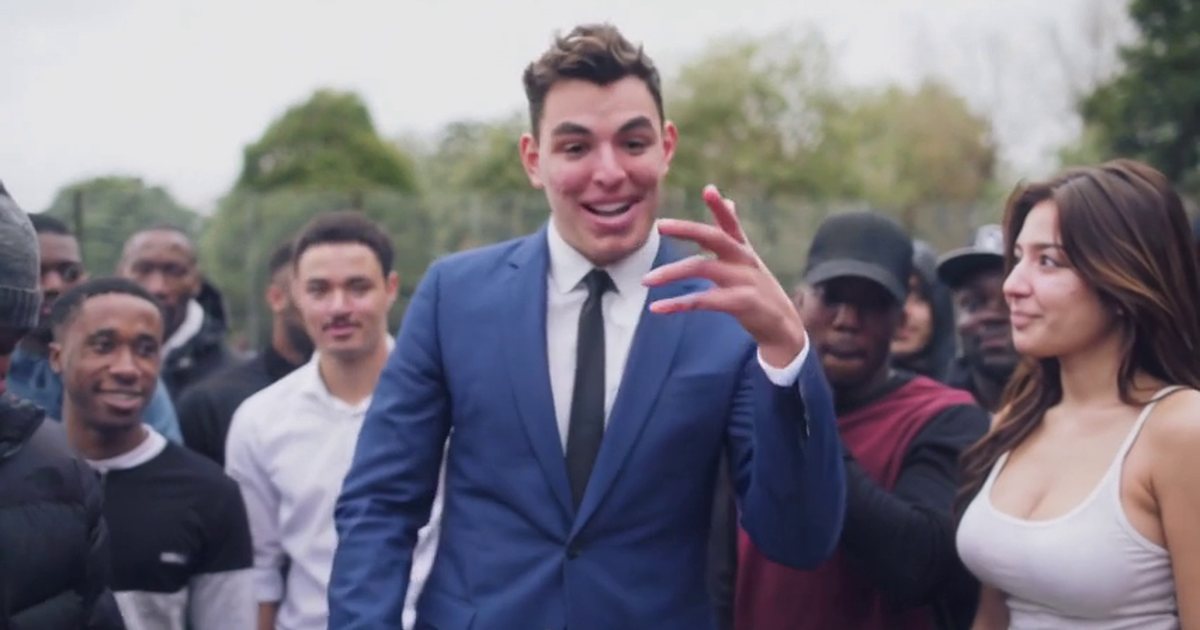
Few rap clips are as easy to recognise as the Shut Up freestyle: a park, friends packed in behind, a camera that cannot keep still. Swap the person at the front for your dad, your boss or yourself and the joke writes itself.
Here is the background, how the AI version works, which photos to use, the steps, and how to post it without getting flagged.
Where it comes from
“Shut Up” came out in 2015 and became one of the best-known grime freestyles; Stormzy also performed it for Anthony Joshua’s ring walk in December 2015.
The AI trend keeps the setting and replaces the lead, sometimes with a friend added at the side.
How the AI version works
The model receives a finished template clip and your photo. It keeps the park, the crowd, the handheld camera and every gesture, and rebuilds the person at the front with your face, hair, build and clothes.
A second photo is optional: that person takes the place on the right of the frame. The crowd stays as it is, and the sound is rebuilt from the template.
Step 1: choose the photos
The camera stays near the lead for all ten seconds, so a sharp waist-up photo beats a full-body one.
- One person per photo.
- Face the camera, with an expression close to neutral.
- Nothing over the face; keep hats only if you want them in the clip.
- For the friend on the right, a photo that shows hair and the sides of the face, because that person often looks at the lead.
- Outdoor light if you can: the template is an overcast park.
Step 2: make the video
Open Stormzy Shut Up AI. Add the lead photo, add the friend if you want one, and choose a resolution. As of 23 November 2026 the 10-second clip costs 200 credits at 480p, 350 at 720p and 650 at 1080p.
Press Generate. Our 480p test took about five minutes. Failed generations return their credits.
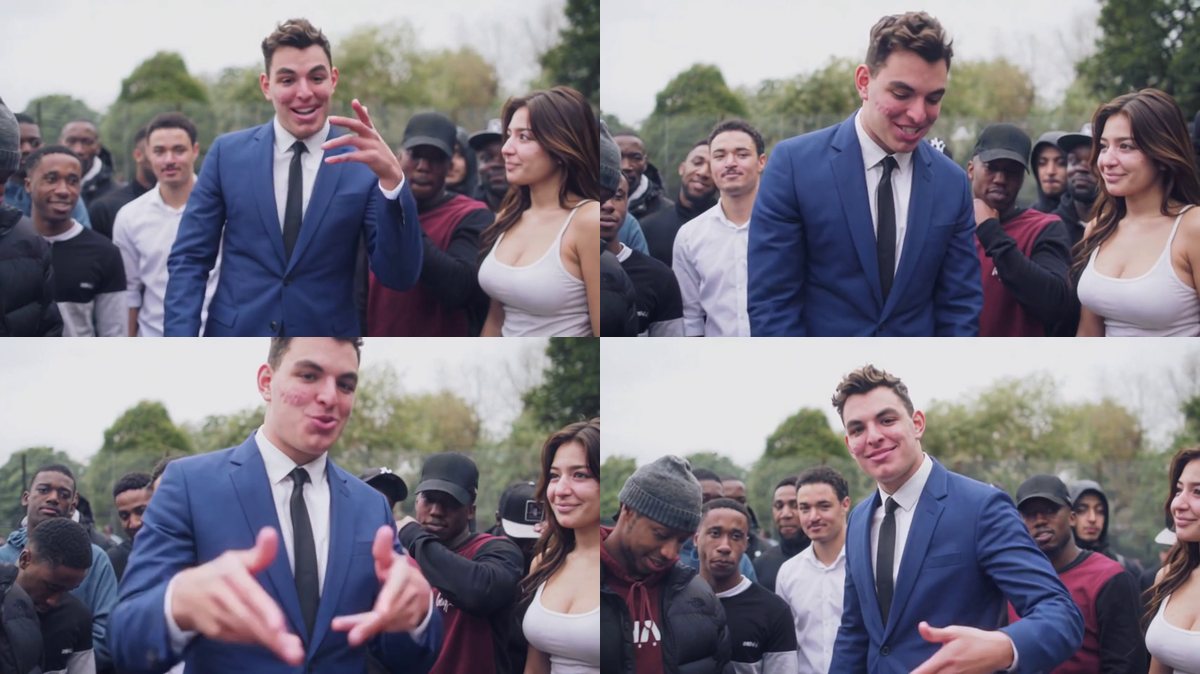
The ten seconds
Useful when you add captions or a punchline.
- 0 to 2 seconds: one hand up, straight to the lens.
- 2 to 4 seconds: a look down, a smile, both hands rise.
- 4 to 7 seconds: the camera closes in while the hands cut the air.
- 7 to 10 seconds: a lean toward the lens, a turn with the arm out, head up.
CapCut and filming it
In CapCut you open a template from a TikTok post and add one photo in the app; the cut and the sound belong to the template.
To film it, gather the biggest group you can, stand close together, hold the phone at head height and keep it moving. The energy of the crowd does most of the work.
What usually goes wrong
Three things cause most of the odd results.
- Two people in the lead photo.
- A heavy beauty filter, which turns into plastic skin in motion.
- A profile photo for the lead, who faces the camera most of the time.
Post it
The clip is wide 16:9. In a vertical feed, add your caption in the empty space above and below, or crop to the lead.
Label it as AI-generated where asked. Do not use photos of strangers, public figures or children, and do not present it as a real Stormzy video.
Frequently asked questions
What is the Stormzy Shut Up AI trend?
AI versions of the 2015 Shut Up freestyle with a new person at the front.
How many people can be in it?
One or two: the lead, and a friend on the right.
How long is the clip?
10 seconds in 16:9.
Is it free?
No. The price in credits is shown before you generate; packs are on the pricing page.
Is it official?
No. It is an independent template, not affiliated with Stormzy, his label or TikTok.
Use one sharp photo, try it at 480p, and only pay for 1080p once the likeness is right.