
Photography Colleges Viral Studio vs CapCut Templates vs Pollo AI
Three ways to put yourself in a viral video: a fixed AI template, a CapCut template, or a Pollo AI effect. What each needs, what it costs and which to pick.
Published 7 min read
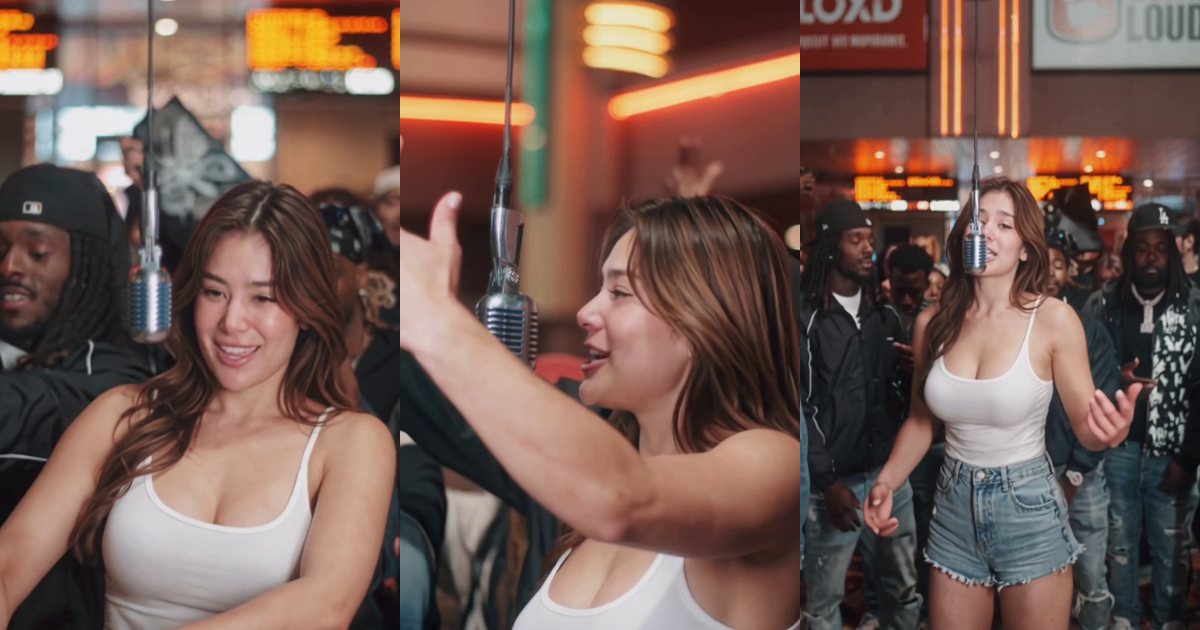
Pick Photography Colleges Viral Studio when you want a specific viral video with you and your friends in it: one photo per person, a fixed 10 to 18 second template, about $2 to $16 a video with no subscription and no watermark. Pick CapCut templates when you want something free and plan to edit the clip further. Pick Pollo AI when you want the largest menu of one-click AI effects and are fine with a monthly plan.
Disclosure: Photography Colleges makes Viral Studio. CapCut facts come from capcut.com, checked on 26 November 2026. Pollo AI facts come from Pollo's credits FAQ and App Store listing, with plan details from third-party reviews published in November 2026; confirm them on pollo.ai before buying. User reports from Reddit are labeled as such.
Viral Studio vs CapCut vs Pollo AI at a glance
The three tools solve the same wish, being in the video everyone is posting, in different ways. Photography Colleges Viral Studio regenerates the whole clip with your people in it, CapCut drops your photos into an editable template, and Pollo AI applies an AI effect to your photo.
| Photography Colleges Viral Studio | CapCut templates | Pollo AI | |
|---|---|---|---|
| How it works | AI regenerates a fixed trend video with your people in it | Your photos or clips fill the slots of a template in the editor | An AI effect or a reference video animates your photo |
| You upload | 1 photo per person | As many photos or clips as the template asks | 1 photo, plus an effect or reference video |
| People in the video | 1 to 3 per template, up to 5 in Tiny Desk AI | Set by each template | Mostly 1; a few effects have more |
| Length and quality | 10–18 s, 480p, 720p or 1080p, sound on | Template length, usually 9:16 | Not published per effect |
| Watermark | None added | CapCut says usually none; users report one on AI-feature projects without Pro since August 2026 | On the free plan; paid plans remove it |
| Free tier | A few sign-up credits, enough to try a photo tool but not a video | Free templates | Small, and invite-based since May 2026 (user reports) |
| Paying | One-time packs: $9.90, $19.90 or $39.90; no subscription | Pro $19.99/month or $179.99/year (varies by region) | From $15/month (Lite, 400 credits) |
| Cost of one video | 200–975 credits, about $2–$16, shown before you generate | Not published; shown before each AI action | Not published per effect |
| Editing afterwards | Download the MP4 and edit elsewhere | Full CapCut editor | Download and edit elsewhere |
How CapCut templates work
A CapCut template is an edit someone else built: the cuts, effects and music are fixed, and you fill the slots with your own photos or clips. Many photo-dance templates are free, and the result opens in the CapCut editor, where you can change text, music and timing.
According to CapCut's help center, most exports are watermark-free: a watermark comes from a template's ending clip, which you can delete for free, or from premium elements, which need Pro. Since August 2026, many posts on r/CapCut report a watermark on projects that use AI features unless you pay for Pro, so plan on Pro for a clean AI dance export. CapCut Pro is $19.99 a month or $179.99 a year with 1,200 AI credits a month. A CapCut template does not regenerate you inside the original scene the way an AI template does; it places your photos into the template's edit.
How Pollo AI works
Pollo AI offers a long list of AI video effects, including many dance effects: upload a photo, choose an effect, or upload a reference dance video for the motion. Most dance effects take one person; a few, such as Megan Hada Dance, show three. One Pollo account also reaches many video models, including Kling, Wan, Hailuo and Veo, according to its App Store listing.
Pollo's credits FAQ says free-plan videos carry a watermark and paid plans remove it. Plans start at $15 a month (Lite, 400 credits) and $29 (Pro, 800 credits), prices the App Store listing confirms; third-party reviews from November 2026 add Ultra at $129 a month for 5,000 credits. In May 2026 Reddit users reported that Pollo replaced its recurring free credits with invite rewards. Subscription credits do not roll over, and Pollo does not publish what each dance effect costs.
Price: one-time credits vs monthly plans
If you make a few trend videos a month, one-time credits usually cost less than a subscription. On Photography Colleges, $9.90 buys 600 credits: three 10-second videos at 480p, or two 15-second ones. $39.90 buys 4,000 credits, enough for four 15-second videos at 1080p, and the credits do not expire.
If you edit every day or need many effects, a CapCut Pro or Pollo AI plan can work out cheaper per video, as long as you use the monthly credits before they reset. Count retries too: AI video users on Reddit often say the real cost is per usable clip, because failed or unusable results can still use credits. Photography Colleges returns the credits of a failed generation. Every Photography Colleges price, per tool and per template, is on the pricing page.
Which one should you pick?
The choice comes down to what you want to end up with.
- You and up to four friends inside a specific viral video, posted as is: Photography Colleges Viral Studio.
- A free video you will keep editing, with your own text and music: CapCut templates.
- The most AI effects to try on one photo, on a monthly plan: Pollo AI.
Frequently asked questions
Is Photography Colleges Viral Studio a CapCut template?
No. A CapCut template places your photos into a fixed edit. Photography Colleges Viral Studio uses a video model to regenerate the trend clip so that the people in it look like the people in your photos.
Does Photography Colleges Viral Studio add a watermark?
No. Photography Colleges does not add a watermark to Viral Studio videos. You pay for each video with credits from a one-time pack.
Is there a free alternative to Pollo AI for dance videos?
CapCut has free photo-dance templates; CapCut says most exports are watermark-free once you delete a template's end clip, although users report a watermark on AI-feature projects without Pro. Vidnoz and media.io have free tiers, but their pricing pages list a watermark on free exports. See the best AI dance video generators comparison for all six tools.
Can more than one person be in the video?
In Photography Colleges Viral Studio, yes: each template says how many people it has, and you add one photo per person. Tiny Desk AI takes up to five. In CapCut it depends on the template.
For a named trend with your own people in it and no subscription, use Photography Colleges Viral Studio. For free editing, CapCut. For the widest effect menu, Pollo AI.